
Bring any OpenAI-compatible model. Entries are embedded automatically and retrieved with built-in RAG, so the AI can write reviews, weekly reports and year-end summaries from your own words.
Your key, your model
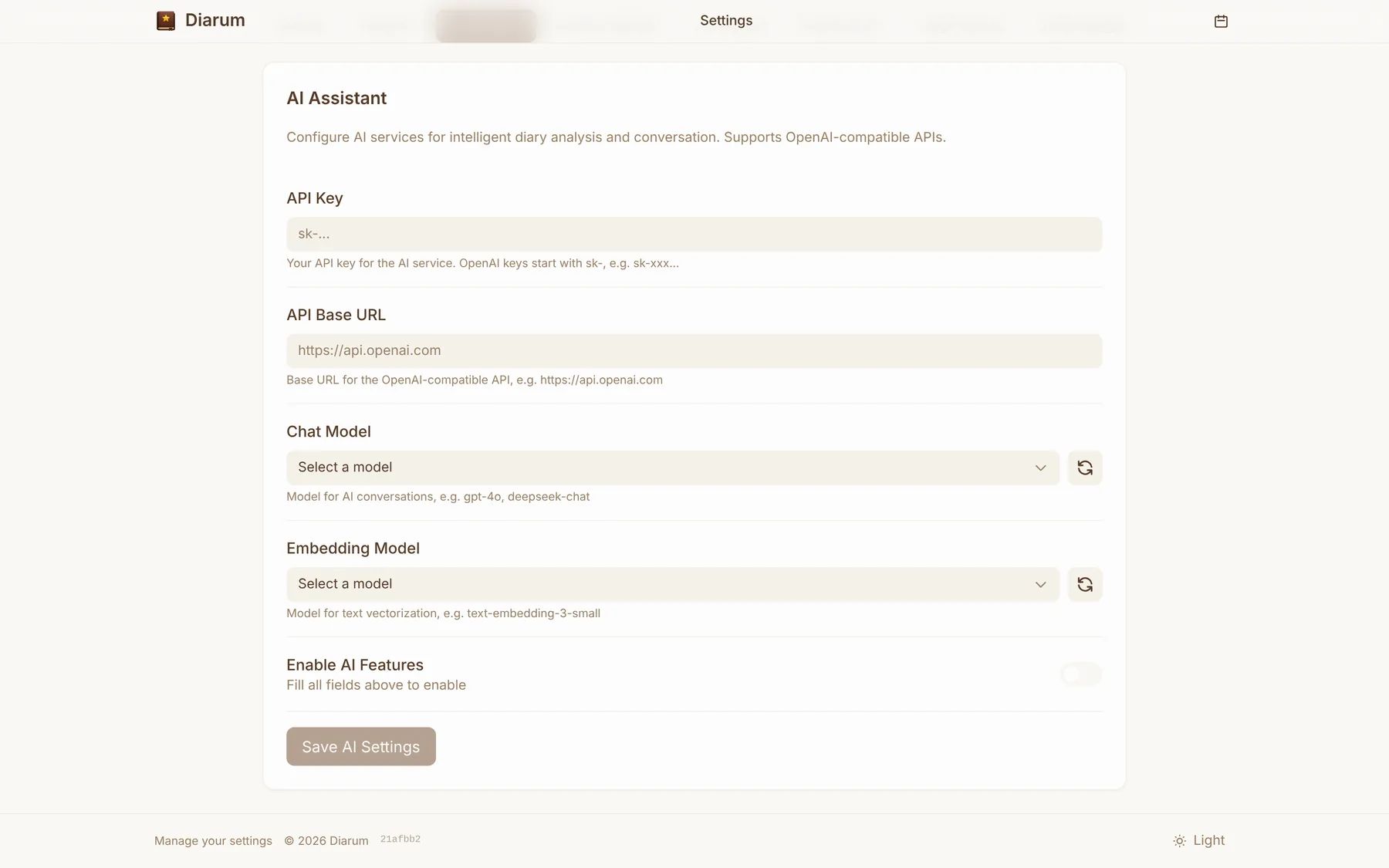
In Settings → AI assistant enter:
- Base URL — any OpenAI-compatible endpoint: OpenAI, DeepSeek, Qwen, SiliconFlow, OpenRouter, or a local Ollama / LM Studio;
- API key;
- Chat model and embedding model — once the URL and key are in, pick from the fetched model list.
The key stays on your own server; nothing is proxied through anyone else.
Automatic embeddings (RAG)
With AI enabled, Diarum splits entries into chunks, embeds them and stores the vectors in a built-in vector store:
- Build everything once, then entries are updated incrementally as you write;
- The settings page shows progress and statistics, and lets you reset and rebuild.
When you chat, Diarum first retrieves the diary passages most relevant to your question and hands them to the model as context — so answers are grounded in what you actually wrote.
Conversations
Chat on the assistant page with streamed replies. Conversations are saved and can be renamed or deleted. Things to try:
- “Help me reflect on today.”
- “Write a weekly report from this week’s entries.”
- “What three things did I mention most this year? Draft a year-end review.”
- “How has my mood changed over the past month?”
Going further: let other AI tools read your diary
Beyond the built-in assistant, Diarum offers an MCP server and a REST API so Claude, Cursor, Cherry Studio, n8n and other tools can work with your entries.