
Built-in multi-user accounts and an admin console: system overview, user management and roles — plus a CLI for the same.
Users and roles
Diarum has a full user system, so one instance can serve your family, friends or a team. Everyone’s entries, images, settings and AI configuration are fully separate.
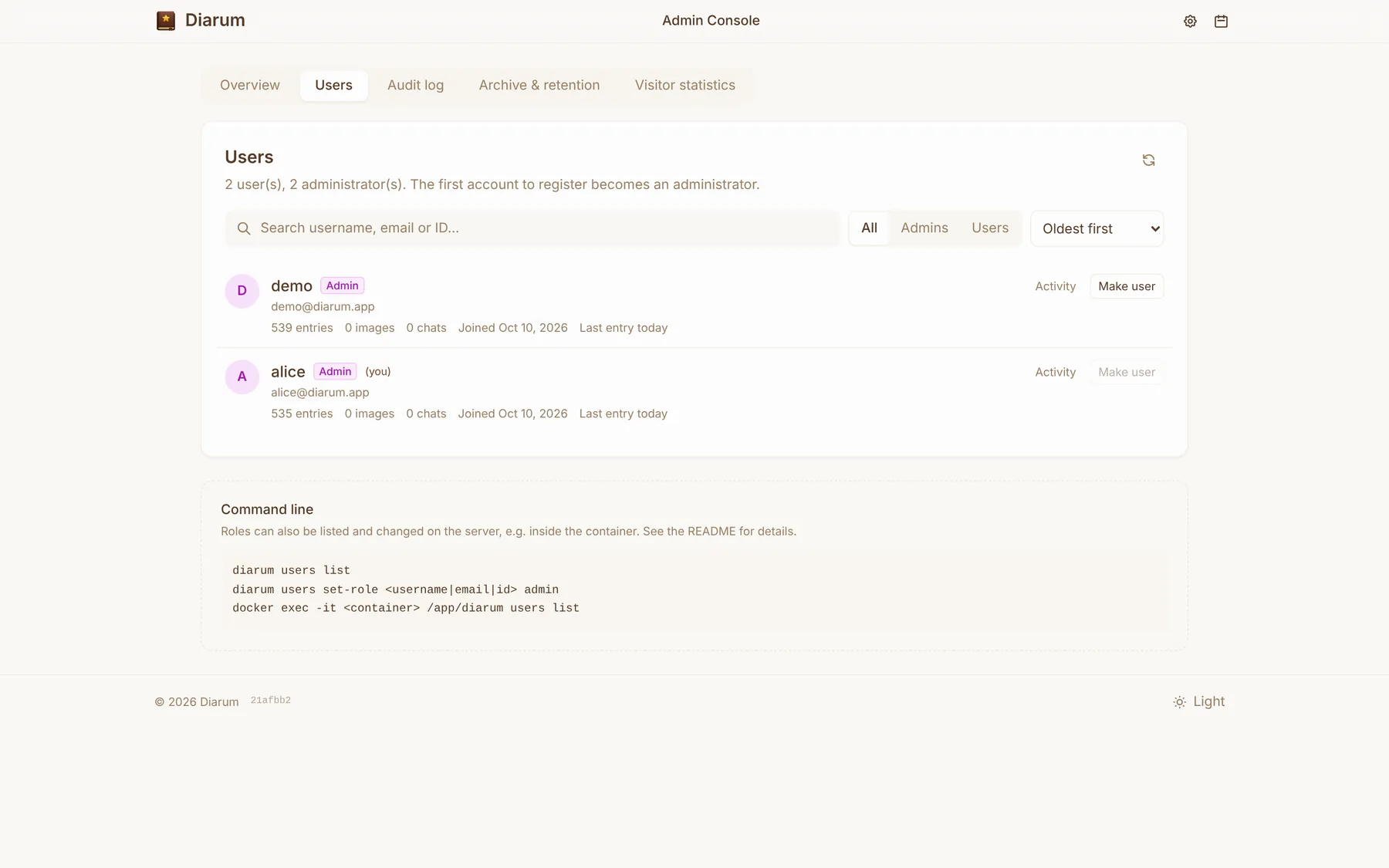
- The first account to register becomes an administrator; everyone after it is a regular user;
- Administrators can promote or demote other users in the admin console;
- Role changes take effect immediately and are written to the system audit log.
Admin console
Administrators can open /admin (also linked from Settings):
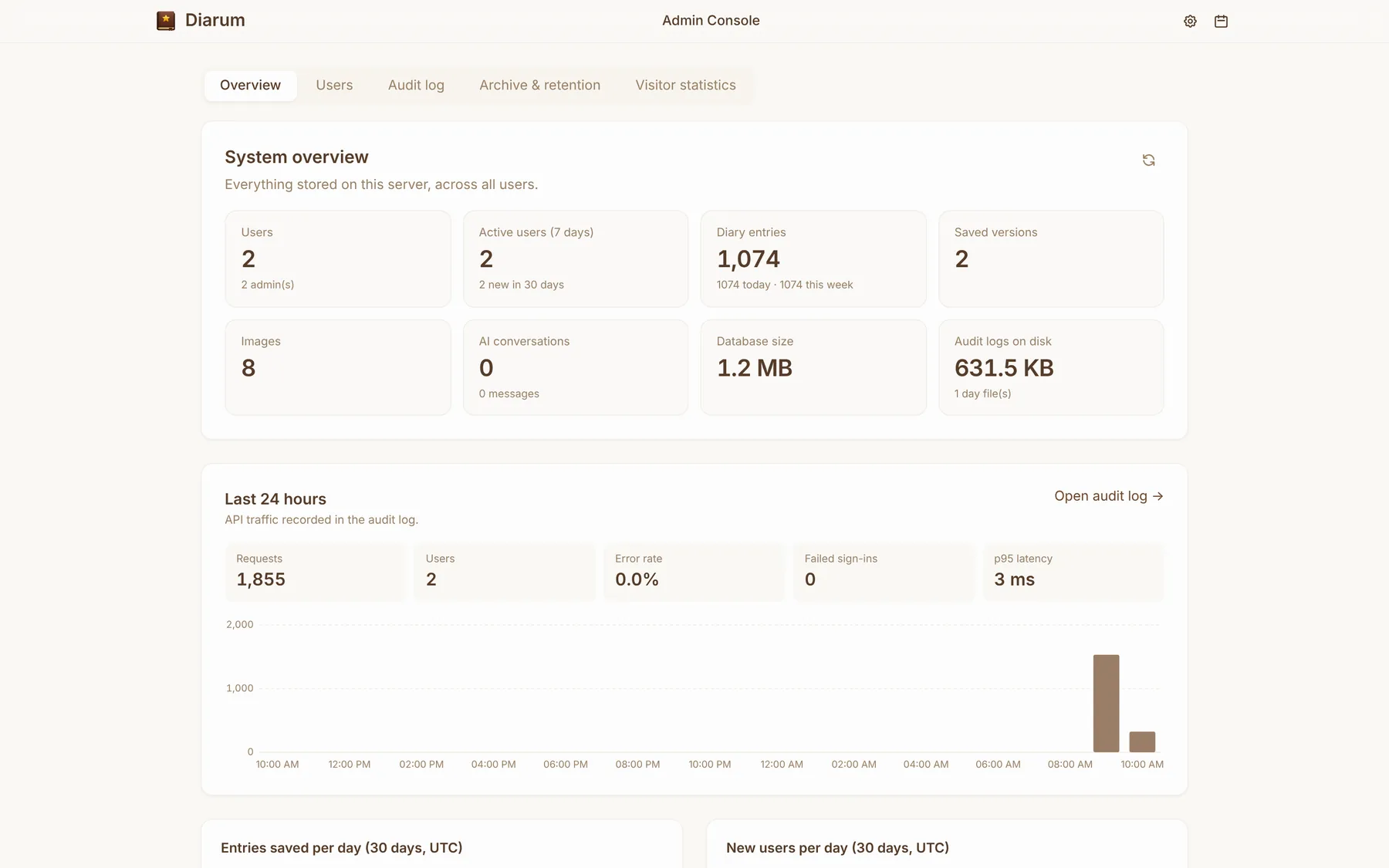
- Overview — users and admins, active users over 7 days, diary entries (today / this week), saved versions, images, AI conversations, database size and audit log size; API requests, error rate, failed logins and p95 latency over the last 24 hours; entries saved and new users per day for 30 days; server version, uptime and time zone;
- Users — search by username, email or ID, filter and sort by role, change roles;
- Audit log, Archive & retention and Visitor statistics — see Audit & visitor statistics.
Command line
The same binary manages users — handy inside a container, and it works while the server is running:
# List users and their roles
diarum users list
diarum users list --json

# Set a role: <user> is a username, email or ID; <role> is "user" or "admin"
diarum users set-role alice admin

# Inside Docker
docker exec -it diarum /app/diarum users list
docker exec -it diarum /app/diarum users set-role alice admin
Commands find the data directory through --data-dir or DIARUM_DATA_PATH (already set in the Docker image).