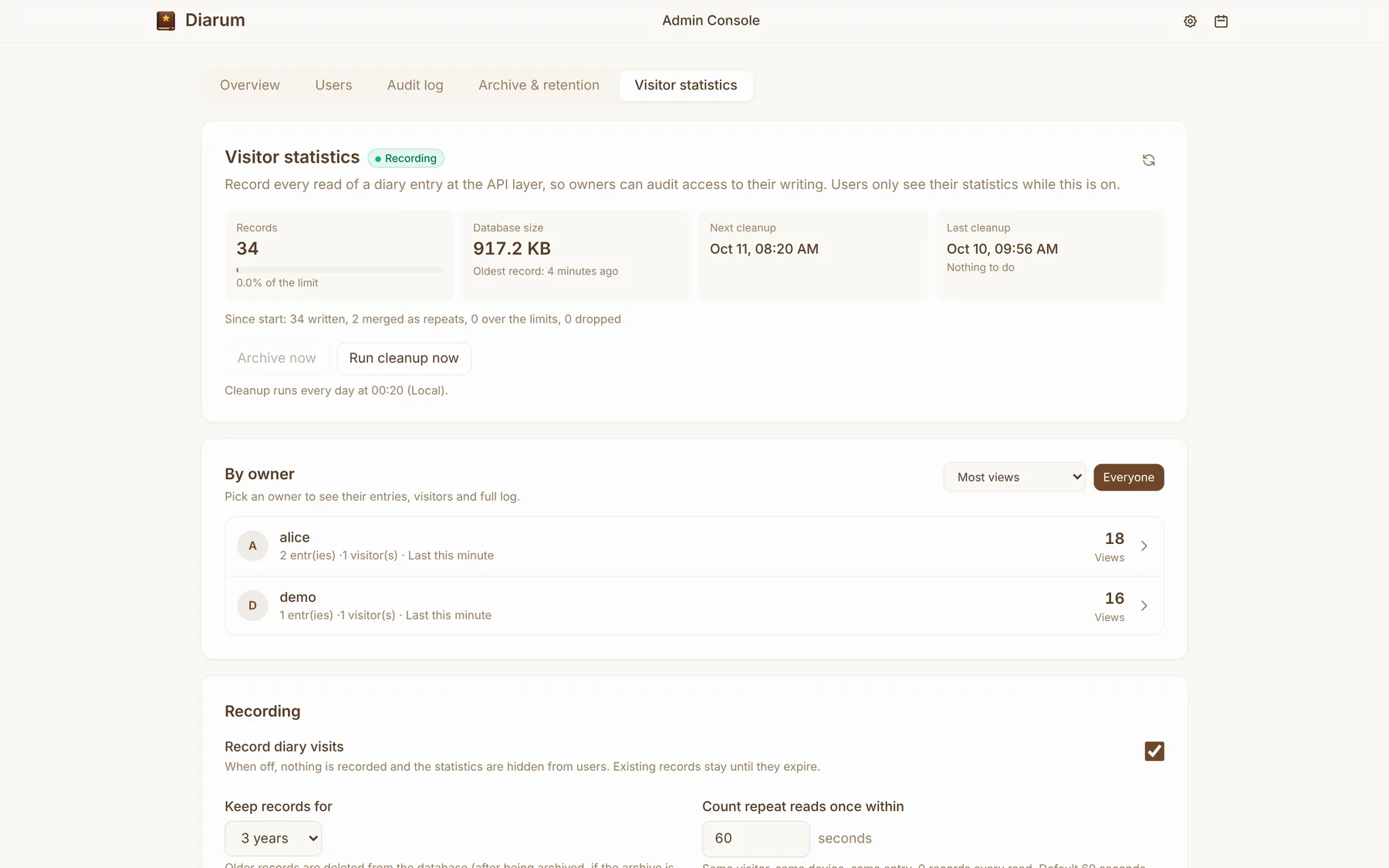
A system-wide audit log of every API call, and per-entry visitor statistics that record every read — including refused attempts — so you can confirm nobody but you has read your diary.
Why audit a diary?
A diary is the most private data you have. Self-hosting answers who holds the data, but leaves another question: how do I know nobody has been reading it? Diarum answers with two mechanisms: a system audit log and per-entry visitor statistics.
System audit log
Diarum records every API call: who, when, from which IP and client, through which entry point (web, API or MCP), what they did, the result and how long it took. Recorded actions include:
- Sign-ins, failed sign-ins, registrations, sign-outs, unauthorised and forbidden requests;
- Creating, editing, deleting, restoring, reading and searching entries;
- Uploading, deleting, trashing, restoring and purging images;
- Imports and exports, settings and token changes, and administrator actions.
Diary content is never written to the audit log, so the log itself can never leak your entries.
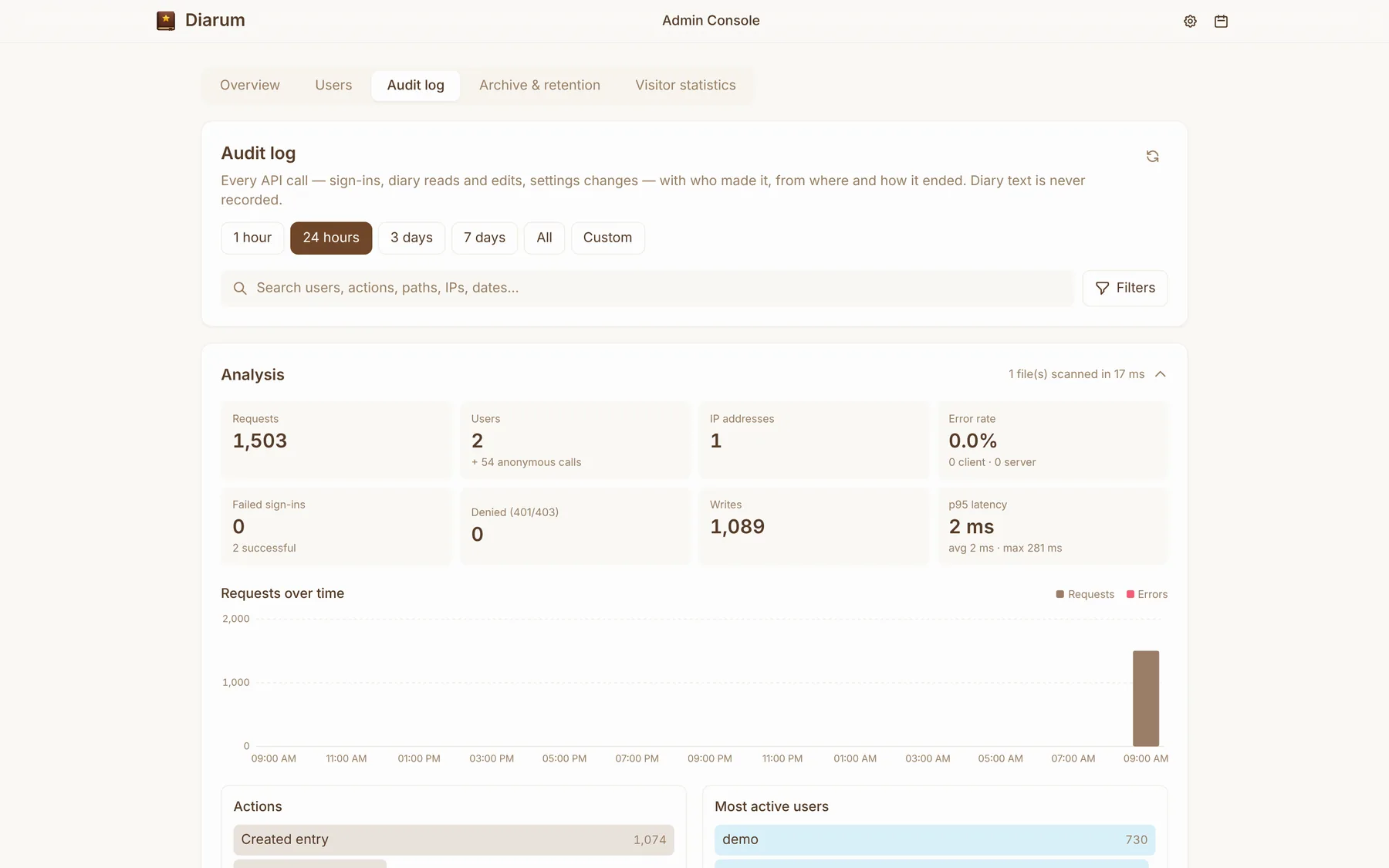
In the admin console’s Audit log, browse by time range (1 hour, 24 hours, 3 days, 7 days, all, custom), search and filter by user, action, path, IP or date, and see analytics: requests, users, IPs, error rate, failed sign-ins, denied requests, writes, p95 latency, request trends, actions and the most active users.
Storage, archiving and retention
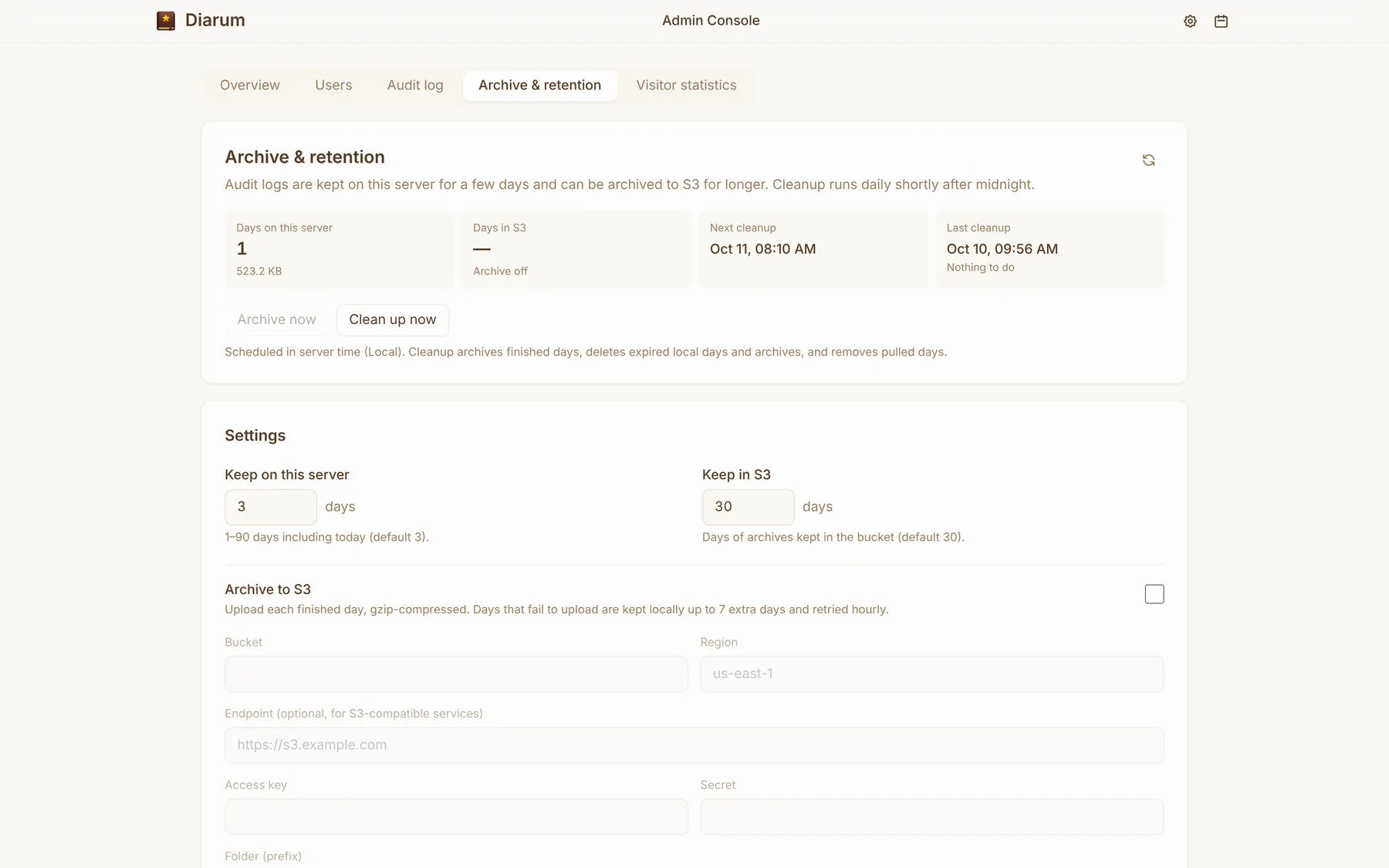
- The log is written asynchronously so it never slows down requests — one JSON Lines file per day under
logs/system-audit/in the data directory; - 3 days are kept locally by default;
- Finished days can be archived to S3 (kept 30 days by default) and pulled back in one click for analysis; pulled days are removed at the next daily cleanup;
- Any day’s raw file can be downloaded directly.
Diary visitor statistics
When an administrator turns it on, Diarum records every read of every entry at the API layer — from the web, the API or MCP, including refused and signed-out attempts.
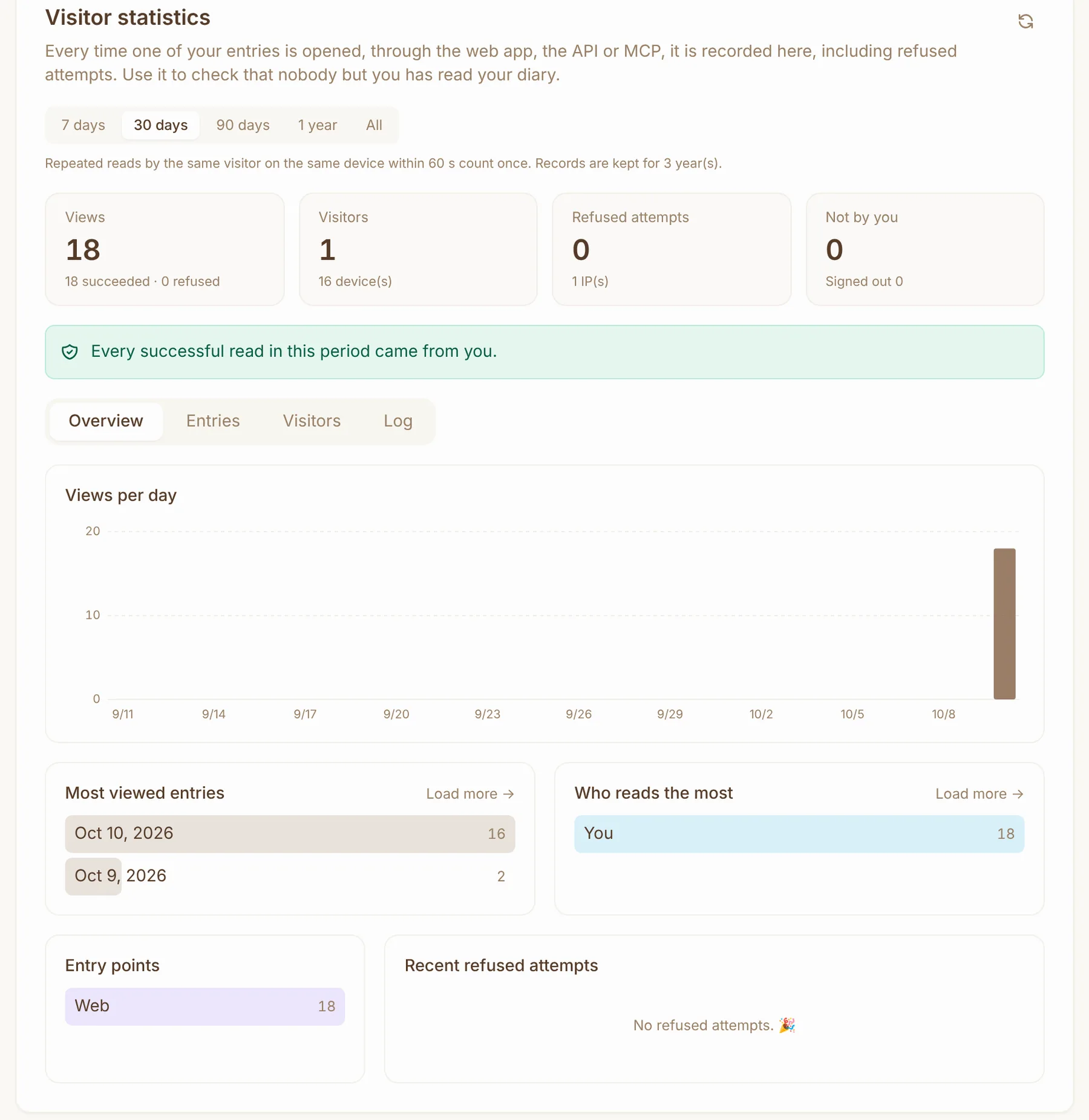
Each user sees their own visitor statistics in Settings → Statistics:
- Visits, visitors, devices, refused attempts and reads by someone else;
- If every successful read came from you, you see ✅ All successful reads in this period were yours; otherwise Diarum tells you how many were not;
- Most-read entries, top visitors, entry points and recent refused attempts;
- A full log, searchable by IP, client or visitor.
Administrators get a server-wide view: per-user entry rankings, visitors and logs, plus refused attempts that cannot be tied to an entry (for example, an invalid API token).
Flood protection and retention
- De-duplication — repeated reads of the same entry by the same visitor on the same device within 60 seconds count once (adjustable);
- Rate limits per IP, per server and per user each minute; anything beyond is counted but not stored, so a flood cannot fill the database;
- Separate storage in
visits/visits.db, so the main database never grows from it; - Retention and archiving — 3 years by default, with a record cap that trims the oldest; finished days can be archived to S3 (kept 10 years by default) and pulled back in one click.