Introducing Diarum: one entry a day, open and write
Why another diary app, the ideas behind Diarum, and a complete tour of what it does today — writing, images, statistics, sharing, the AI assistant, MCP, backups, auditing and visitor statistics.
 Diarum · · 7 min read
 Diarum (Chinese name 吾身, from the Confucian line “every day I examine myself”) is an open-source, self-hosted diary. It has exactly one rule: one entry per day. Open it and you are on today’s page; type and it is already saved; and ten years from now you can still jump straight to that day.
This post walks through why Diarum exists, the ideas behind it, and everything it does as of v0.9.9. If you would rather just try it, open the live demo and sign in with demo / demo@1234.
Why another diary app?
There are plenty of great diary and note apps, but none quite fit. I wanted one that:
- lets me start writing immediately — no file names, no titles, no folder structure;
- runs in the browser, because my devices span macOS, HarmonyOS NEXT, Android, Arch Linux and Windows, and only the web covers them all;
- is easy to self-host, so the data stays mine and moving it is painless;
- can use AI for reflection and summaries — without handing my diary to a third party.
So I built Diarum: Go and Svelte, shipped as a single binary with the frontend embedded, on SQLite. One docker run and it is up.
When Diarum was first announced in February, it sat on top of PocketBase and offered entries, images, AI and a basic API. Dozens of releases later it runs on its own native SQLite backend and has gained MCP, version history, On This Day, statistics, three visual styles, automatic backups, an admin console, audit logs, an image trash, Live Photos, visitor statistics and much more. It is a different app now.
The idea: just enough
Diarum aims to be a diary that is just right:
- No friction — sign in and you are on today’s entry, with nothing to decide;
- Fast capture — the cursor is in the editor, everything saves itself, even offline;
- Pleasant looking back — the calendar, On This Day, statistics and the AI assistant make reviewing your days something you want to do.
“One entry a day” sounds like a limit, but it is freeing: you never again decide whether something deserves its own note, what to call it or which folder it goes in. The date is all you need.
Writing
The editor
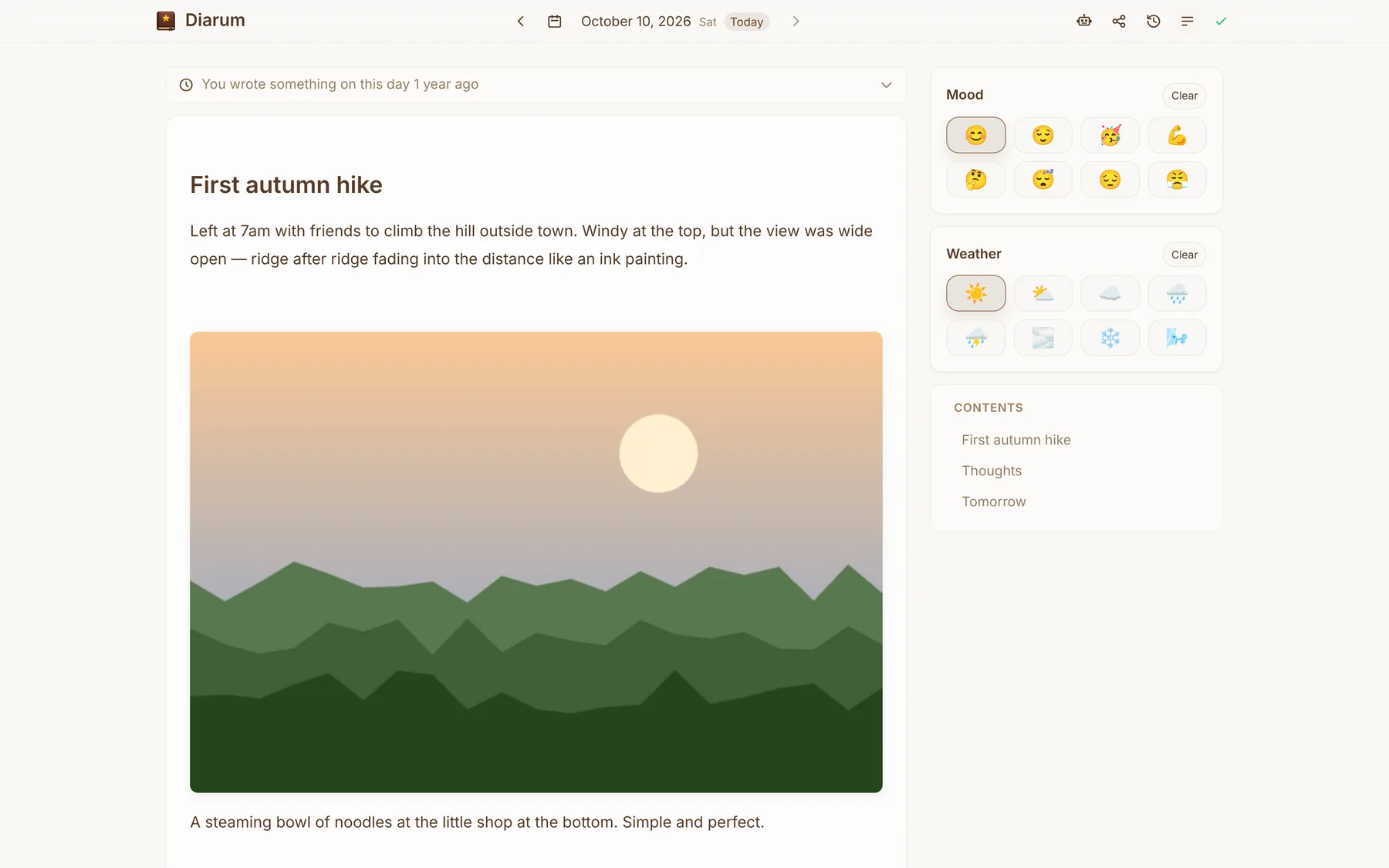
The editor is WYSIWYG and still speaks Markdown. Type / for headings, lists, task lists, quotes, code blocks, dividers, images and galleries; a table of contents builds itself on the side. Each entry can also record a mood and the weather, with emoji choices you can customise.
Auto-save and offline
Everything saves automatically, with the status shown at the top, and Ctrl+S / ⌘S saves immediately. Offline edits are kept locally and synced later, and recent entries are cached on the device. Diarum is a PWA, so you can install it on your phone or desktop and use it full screen like a native app.
Version history
Every save keeps the previous content as a snapshot (10 per entry by default, up to 20). Deleted a paragraph by accident? Open the history, preview, restore. Restores can be undone too.
Three visual styles
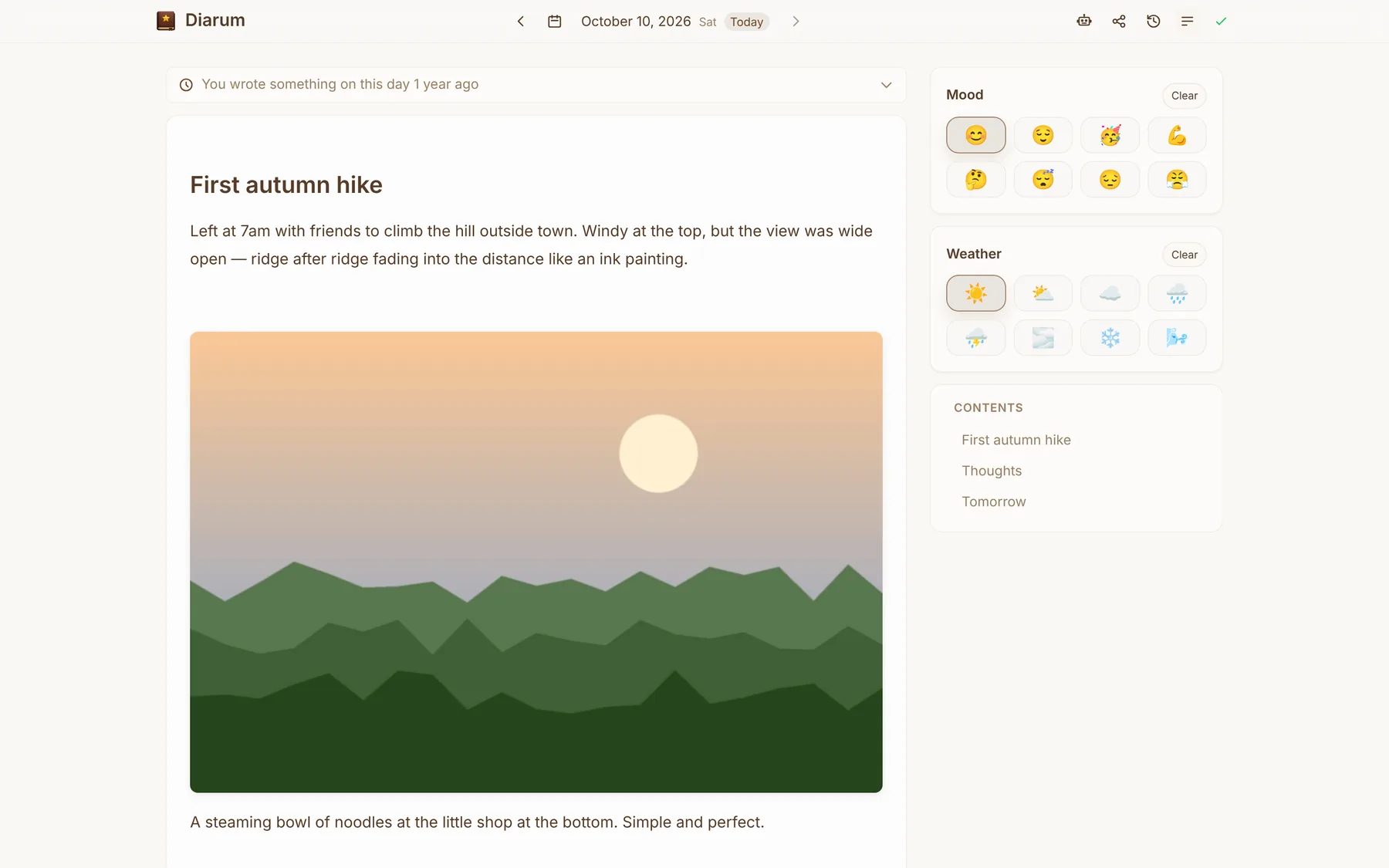
- Classic — a clean, focused editor;
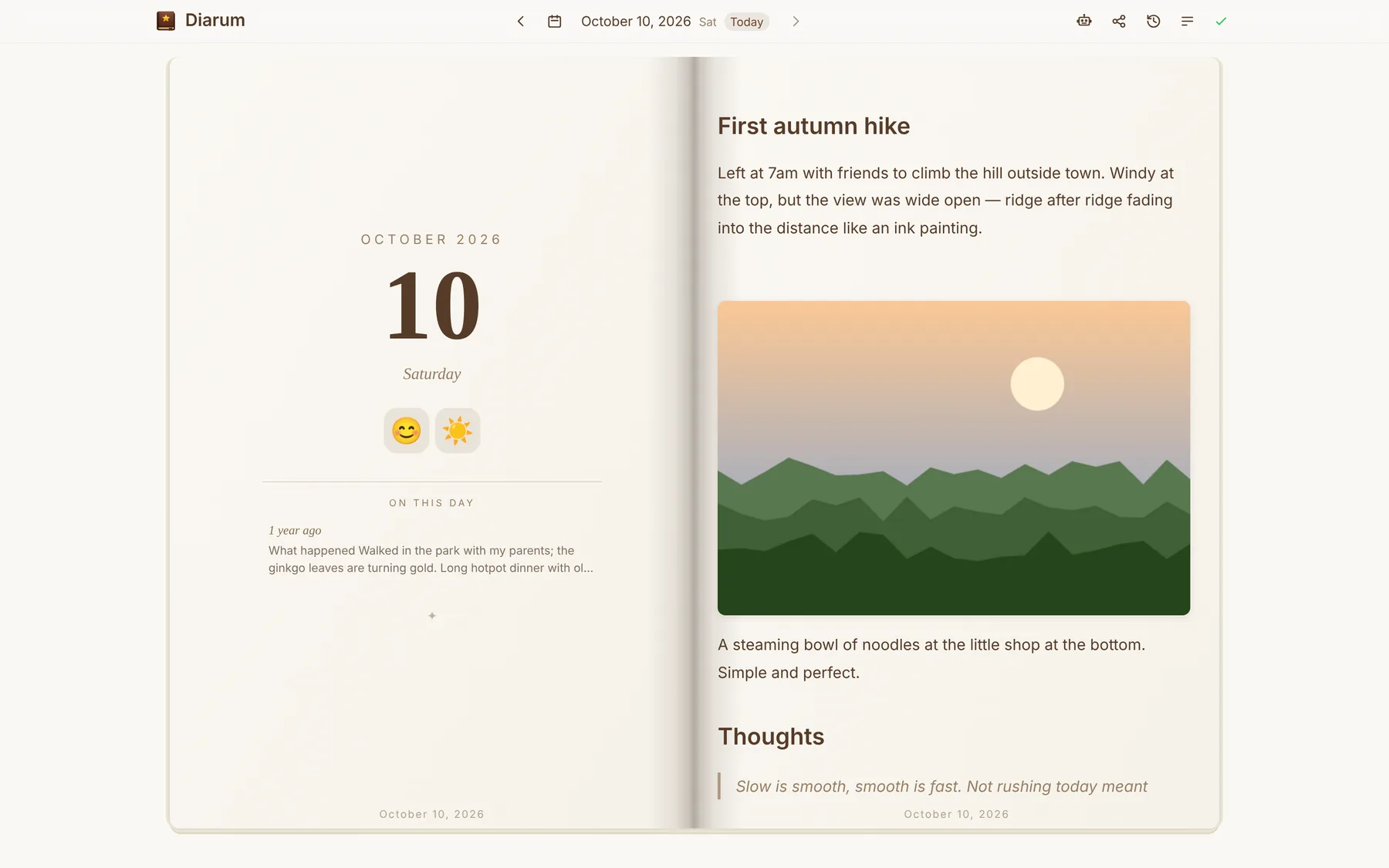
- Immersive — an open notebook, with the date, mood, weather and On This Day on the left page and your entry on the right;
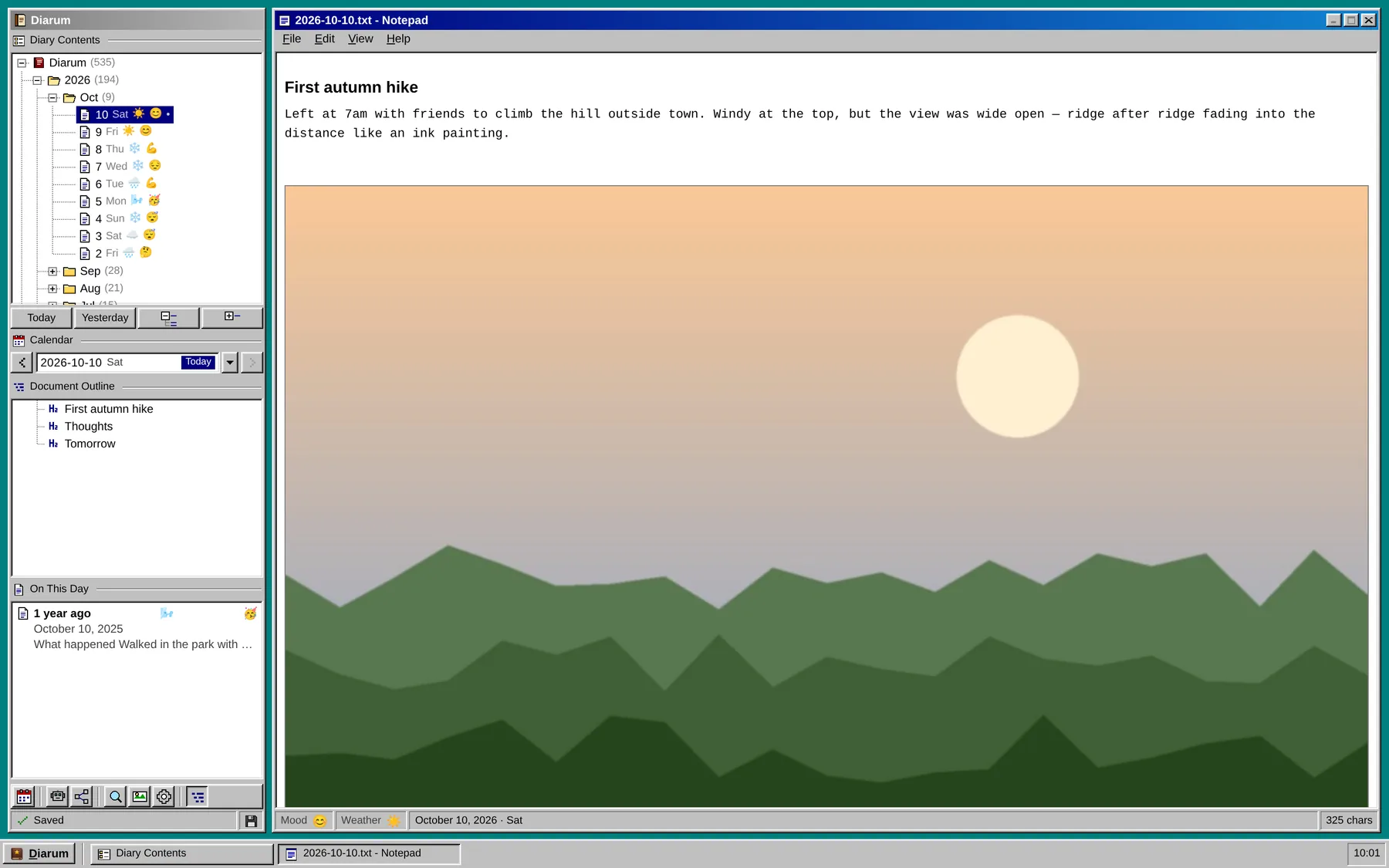
- Windows 95 — a retro desktop with Notepad, a diary tree, a document outline and a Start menu.
Looking back
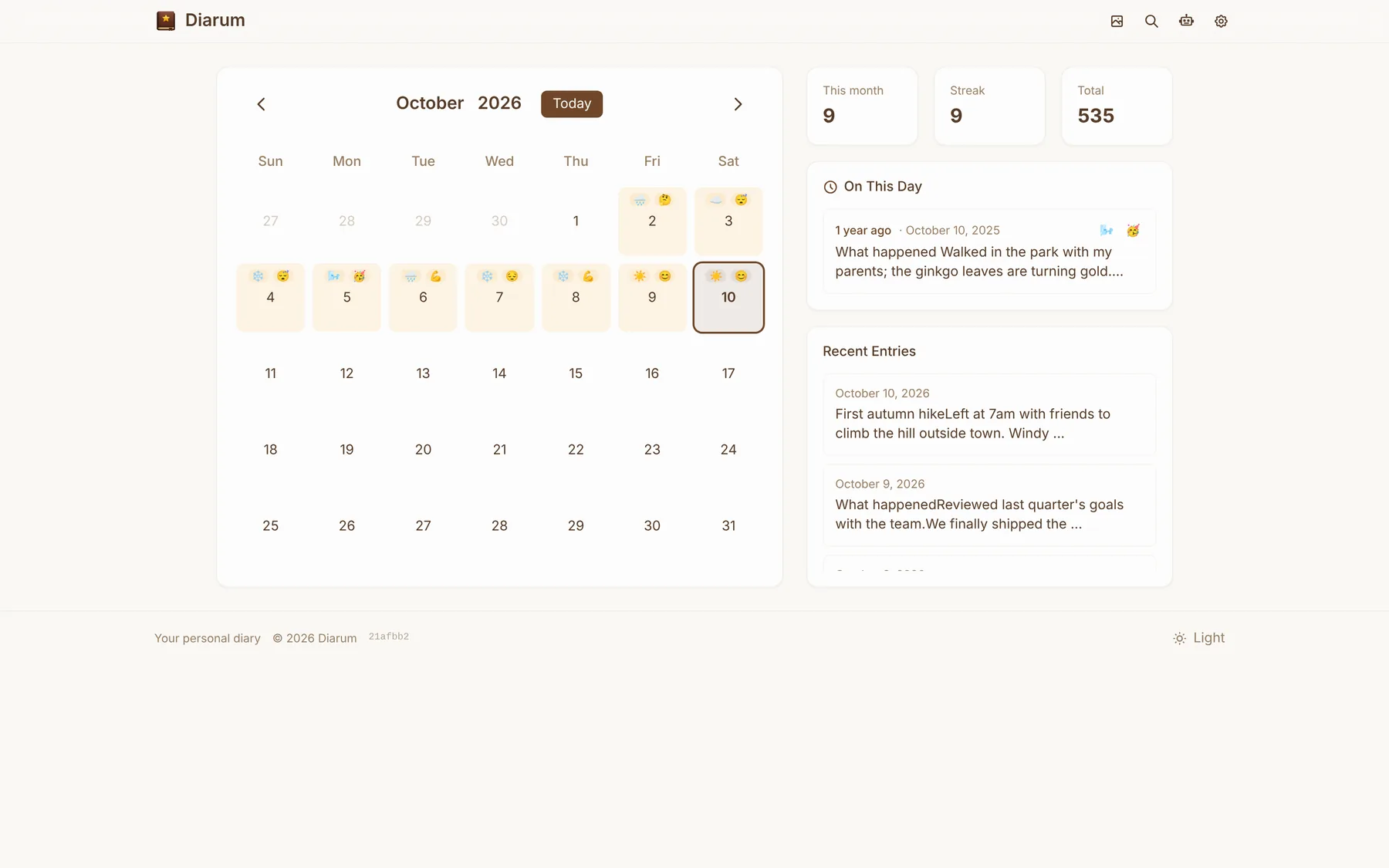
The calendar shows each day’s mood and weather, alongside this month’s count, your current streak and the total. While you write today’s entry, On This Day tells you what you wrote on this date in earlier years. Full-text search finds any memory instantly.
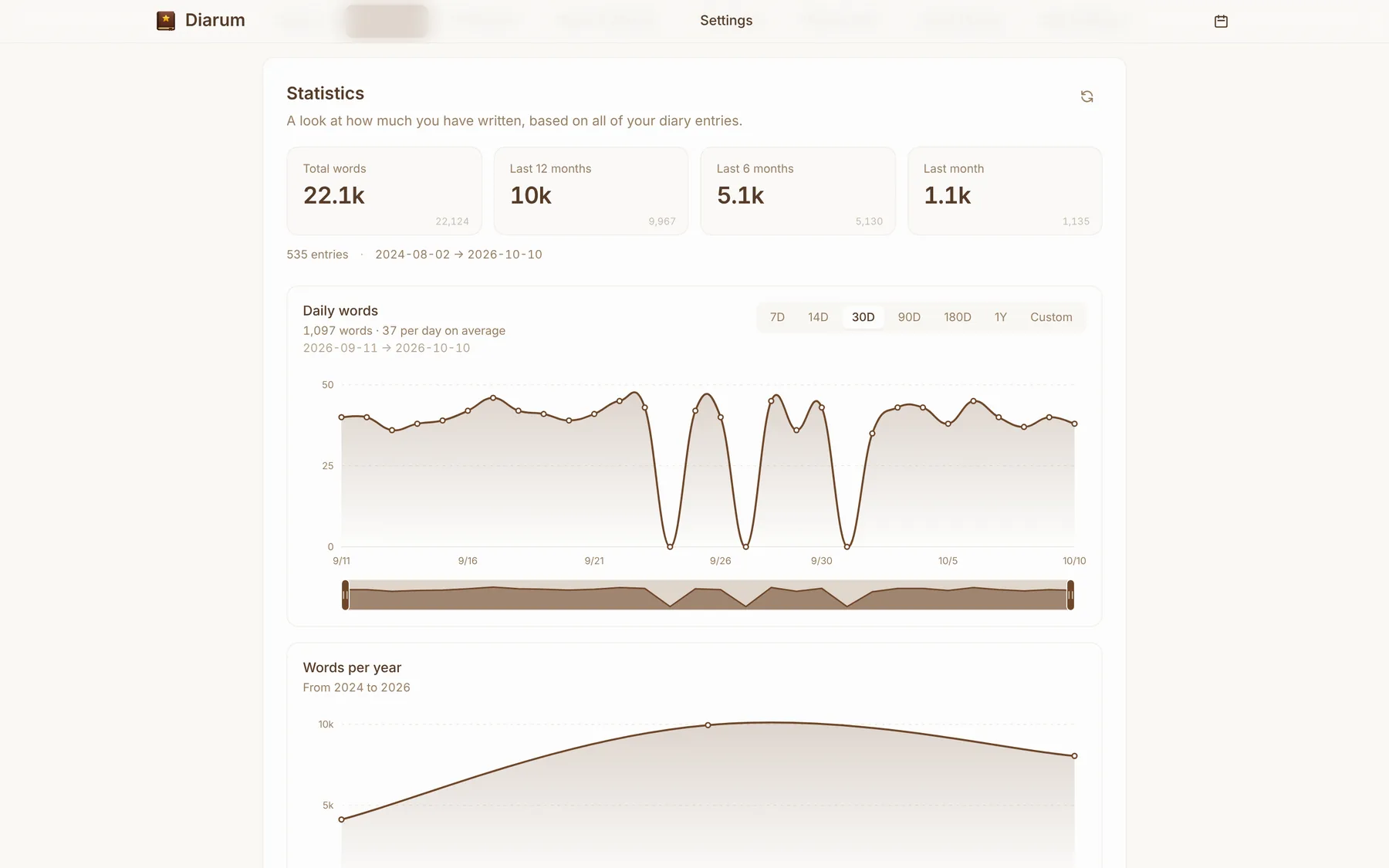
The Statistics page shows your total word count, words in the last month, six months and year, a daily chart (7 days to a year, or a custom range) and words per year. Chinese is counted by character and English by word.
Images, done properly
- Paste or drag to upload, several at a time;
- Thumbnails and medium copies are generated in the background; entries load the medium size and open the original on tap;
- iPhone Live Photos and motion photos from Huawei, Honor, Xiaomi, OPPO, vivo, Samsung and Pixel keep their motion; HEIC becomes JPEG; each can loop, play once or stay still;
- Store images locally, in any S3-compatible bucket, or on Chevereto; S3 supports a path prefix and a public CDN URL;
- A media library and trash, one-click cleanup of images no entry uses, and importing external images into your own library.
Sharing
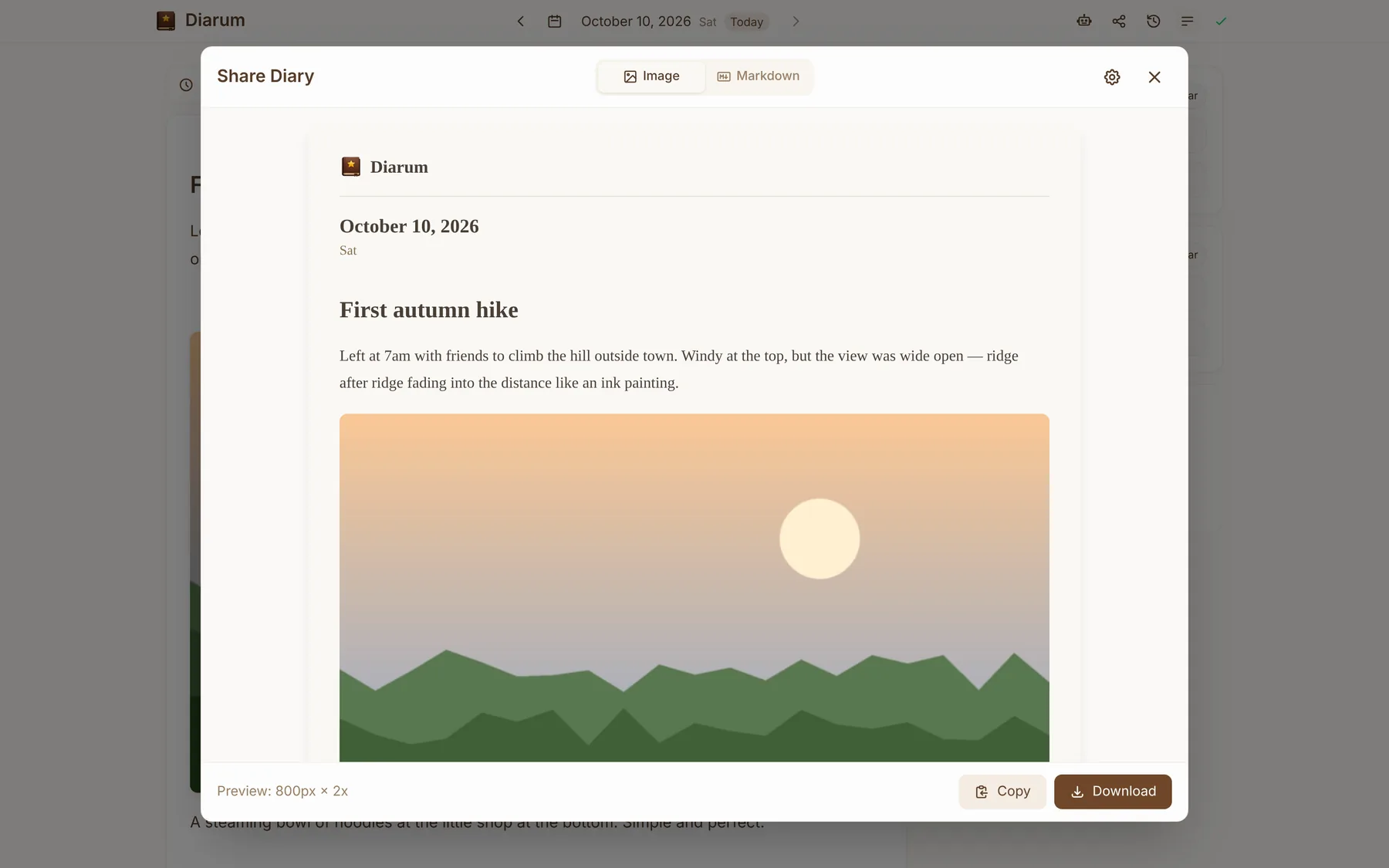
One click turns an entry into a nicely typeset image in five themes — Warm Paper, Dark Elegant, Minimal White, Nature Green and Windows 95 — at the width and scale you choose, ready to copy or download. Or copy it as Markdown, with images rewritten to public S3/CDN links.
AI: a built-in assistant, MCP and an API
AI has been part of Diarum from day one, and it now works at three levels.
The built-in assistant
Enter any OpenAI-compatible base URL and key in Settings — OpenAI, DeepSeek, Qwen, OpenRouter, or a local Ollama — and pick a chat model and an embedding model. Diarum chunks and embeds your entries into its built-in vector store and keeps it updated as you write.
When you chat, it retrieves the passages most relevant to your question and hands them to the model, so you can naturally ask for:
- a reflection on today;
- weekly and monthly reports;
- a year-end review;
- “How has my mood changed recently?”
The MCP server
Diarum includes a Model Context Protocol server over Streamable HTTP. Enable it in Settings → API access, paste the generated config into Claude, Cursor, Cherry Studio or another client, and your agent can query your diary through three read-only tools: get_diary, list_diaries and search_diaries.
{
  "mcpServers": {
    "diarum": {
      "type": "http",
      "url": "https://diary.example.com/api/v1/mcp",
      "headers": { "Authorization": "Bearer <your-api-token>" }
    }
  }
}
REST API and webhooks
A token-based read-only API returns entries by date or date range, and every instance documents itself with OpenAPI at /api/v1/docs. Wire it into n8n to generate weekly or monthly reports and send them to your inbox or chat. If you use Memos, the Memos webhook sync copies memo creates, edits and deletes into the entry for that day.
Your data, always portable
- Export a
.zipwith all structured data indiarum_export.json, one Markdown file per day and the original images; choose a date range and what to include (entries, media, AI conversations); - Import the same archive to restore everything, with embeddings rebuilt automatically;
- Automatic backups to any S3-compatible bucket on a cron schedule, with retention, a connection test, backup logs, and one-click download or restore.
Even if you stop using Diarum one day, any Markdown editor can open your diary.
Security: own your data — and prove nobody read it
A diary is the most private data there is. Self-hosting settles who holds it; Diarum also answers how do I know nobody has been reading it?
The system audit log
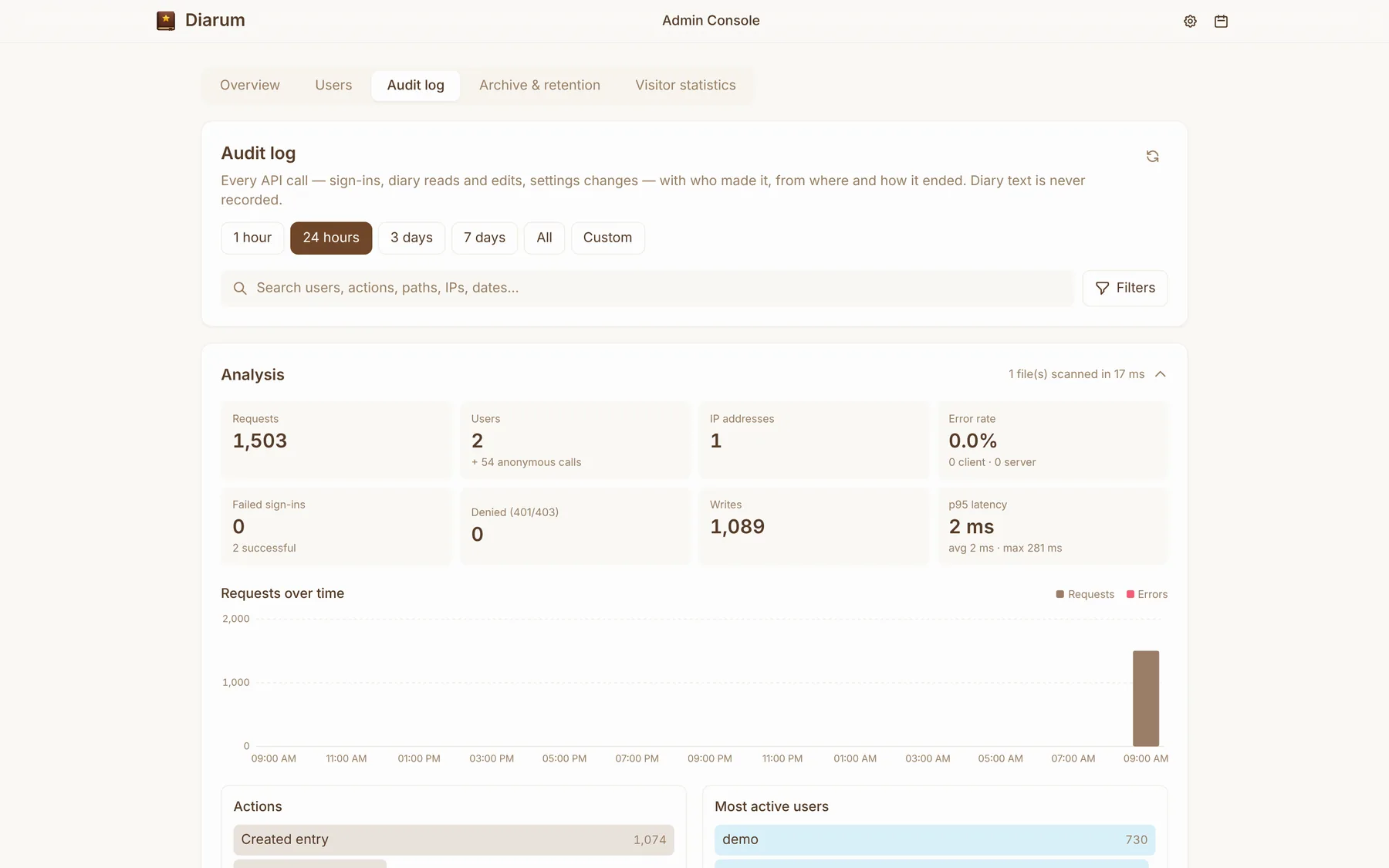
Diarum records every API call: who, when, from which IP and client, through the web, the API or MCP, what happened and how long it took. Diary content is never written to the log. Administrators can search, filter and analyse it in the admin console. Logs are one JSON Lines file per day, kept 3 days locally, and can be archived to S3 and pulled back in one click.
Visitor statistics
When an administrator turns it on, every read of every entry is recorded — from the web, the API or MCP, including refused and signed-out attempts. Each user sees their own visitor statistics: visits, visitors, devices and refused attempts. When every successful read came from you, a reassuring green note says so.
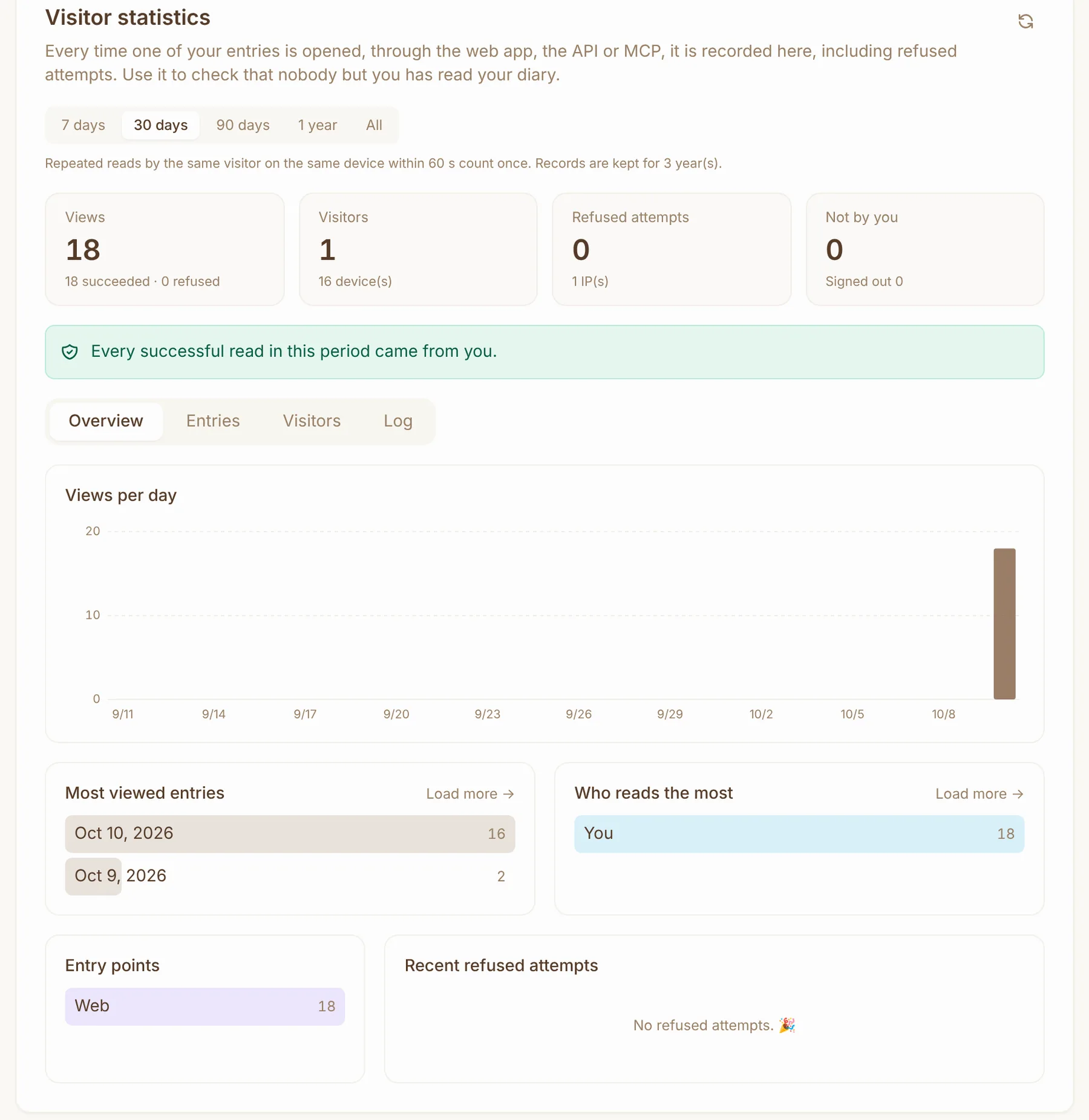
Visits are de-duplicated and rate-limited, kept in their own SQLite file for 3 years by default, and can be archived to S3 for 10 years.
Multiple users and the admin console
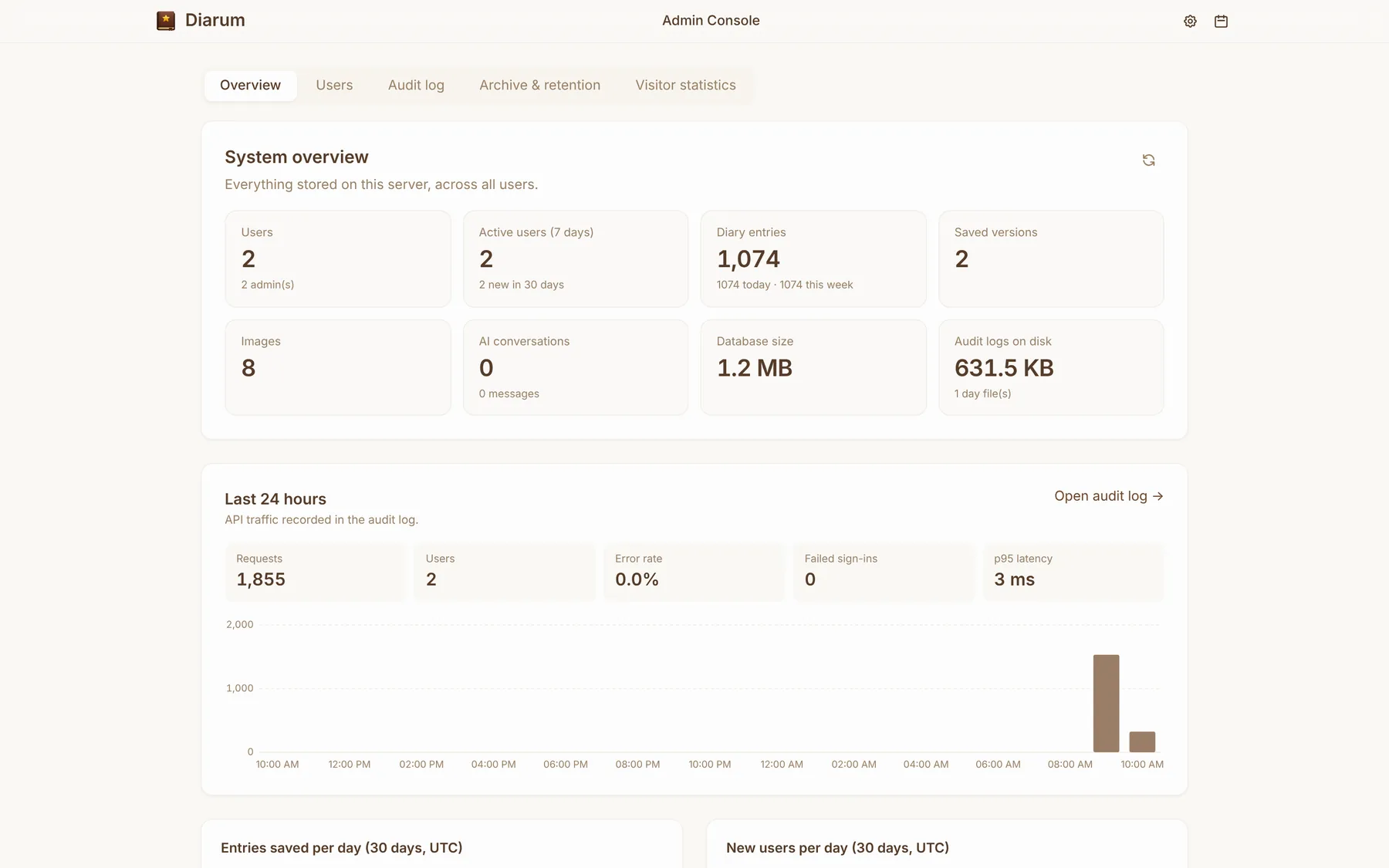
One Diarum instance can serve a whole family, with everyone’s data fully separate. The first account becomes the administrator and can open the /admin console for a system overview (users, entries, images, database size, requests and errors over the last 24 hours…) and user roles. The same binary offers diarum users list and diarum users set-role for managing users inside a container.
Deploy in five minutes
docker run -d \
  --name diarum \
  -p 8090:8090 \
  -v /path/to/your/data:/app/data \
  songtianlun/diarum:latest
Open http://your-server:8090, register the first account and start writing. Images are published for amd64 and arm64, so a NAS or a Raspberry Pi works fine. See the deployment guide for Docker Compose, reverse proxies and building from source.
Finally
Diarum is a tool I use every day and have put a great deal of care into. It is fully open source, with test coverage tracked publicly on Codecov.
- Source: github.com/songtianlun/diarum
- Demo: demo.diarum.app
- What’s new: Releases
- Every feature: Features
Questions or ideas are welcome on GitHub Issues — and a star ⭐️ helps a lot.
May you leave a few words of your own, every day.